

Download YouView – Free Desktop YouTube Viewer, Fast & Secure
Overview
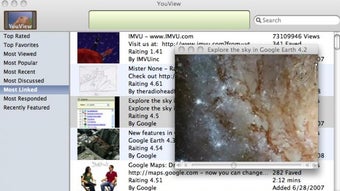
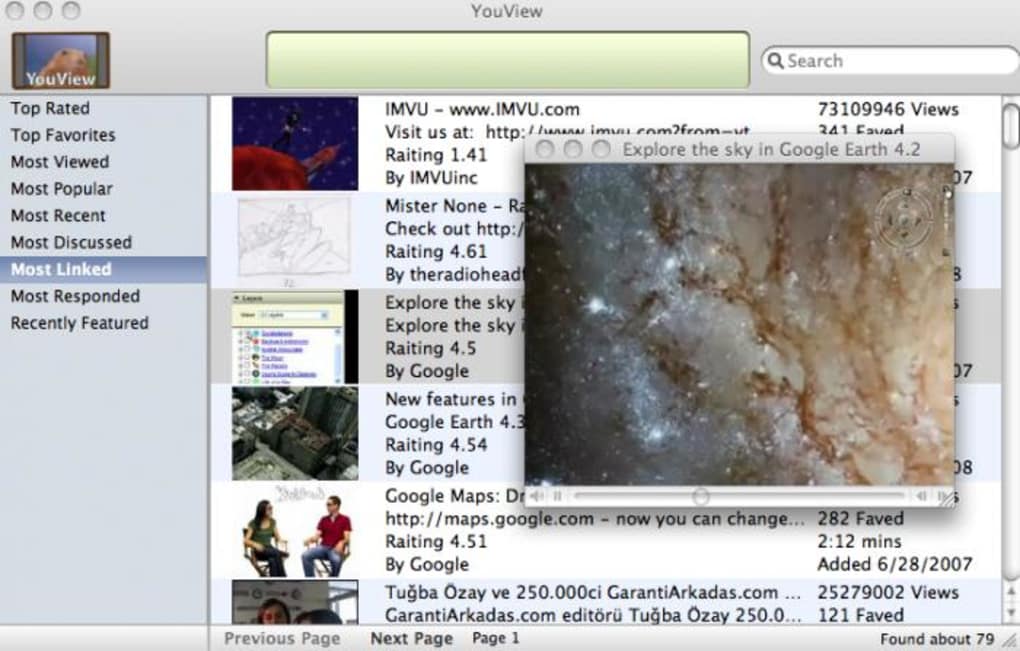
YouView is a lightweight desktop application that gives you instant access to the most popular YouTube videos without the need to launch a web browser. Designed for users who want a quick, distraction‑free way to watch trending clips, YouView presents three main categories – “Most Viewed”, “Most Linked” and “Most Discussed” – on a clean left‑hand pane. Selecting any video opens it in a dedicated playback window that supports full‑screen mode and automatically streams in high‑definition when the source file allows it.
Because the program bypasses the heavy HTML, CSS, and JavaScript layers of a typical browser, it consumes noticeably less CPU and RAM, making it an ideal companion for older machines or for users who simply want a faster, more efficient YouTube experience. While YouView does not offer comment threads or download capabilities, its focus on speed, simplicity, and HD playback makes it a compelling alternative for anyone who watches YouTube for quick entertainment, news highlights, or viral trends. The app runs on Windows, macOS, and Linux, and it updates automatically to stay compatible with YouTube’s API changes, ensuring a secure and stable environment for everyday video consumption.
Key Features
- Instant Trending Access: View the top ten videos in “Most Viewed”, “Most Linked” and “Most Discussed” categories the moment the app launches.
- HD Playback by Default: If the source video is available in high definition, YouView streams it in HD without extra configuration.
- Lightweight Engine: Consumes far less processing power than a full web browser, keeping your system responsive.
- Full‑Screen Mode: Dedicated video window supports true full‑screen for an immersive viewing experience.
- Automatic Updates: Built‑in updater checks for API changes and security patches, ensuring the app stays functional and safe.
- Cross‑Platform Support: Available for Windows 10/11, macOS 10.13+, and popular Linux distributions.
- Simple Interface: Minimalist design with left‑hand navigation and a central video list for quick selection.
- No Browser Dependency: Eliminates the need to open Firefox, Chrome, or Edge just to watch a trending clip.
Each feature has been engineered to address the common pain points of YouTube users: slow page loads, unnecessary ads, and the distraction of comment sections when you only want to watch the video itself. By stripping away everything that isn’t essential for playback, YouView delivers a focused environment where the video is the star. The application also respects your privacy – it does not collect browsing data or store cookies, making it a secure choice for privacy‑conscious users. Whether you’re on a low‑end laptop, a high‑performance workstation, or a net‑book, YouView adapts to your hardware while maintaining smooth playback, which is especially valuable for HD content that can otherwise strain system resources.
Installation & Usage Instructions
Getting YouView up and running is straightforward, even for users with limited technical experience. Follow these steps to download, install, and start enjoying trending YouTube videos within minutes:
- Download the Installer: Visit the official YouView website and click the “Download for Windows/macOS/Linux” button that matches your operating system. The file size is under 30 MB, ensuring a quick download even on slower connections.
- Run the Installer: On Windows, double‑click the
.exefile; on macOS, open the.dmgand drag the app to your Applications folder; on Linux, extract the.tar.gzand run the provided shell script. The installer will guide you through standard steps – accepting the license agreement, choosing an installation path, and creating a desktop shortcut. - Launch YouView: After installation, open the application via the shortcut or from your start menu. The first launch may trigger a brief update check; this ensures you have the latest API keys and security patches.
- Navigate the Interface: The left sidebar displays three categories – “Most Viewed”, “Most Linked”, and “Most Discussed”. Click any category to load the top ten videos for that metric. The central pane shows each video’s thumbnail, title, and duration.
- Play a Video: Simply click a thumbnail or title. YouView opens a separate playback window that starts streaming the video instantly. Use the built‑in controls to pause, skip, or switch to full‑screen mode.
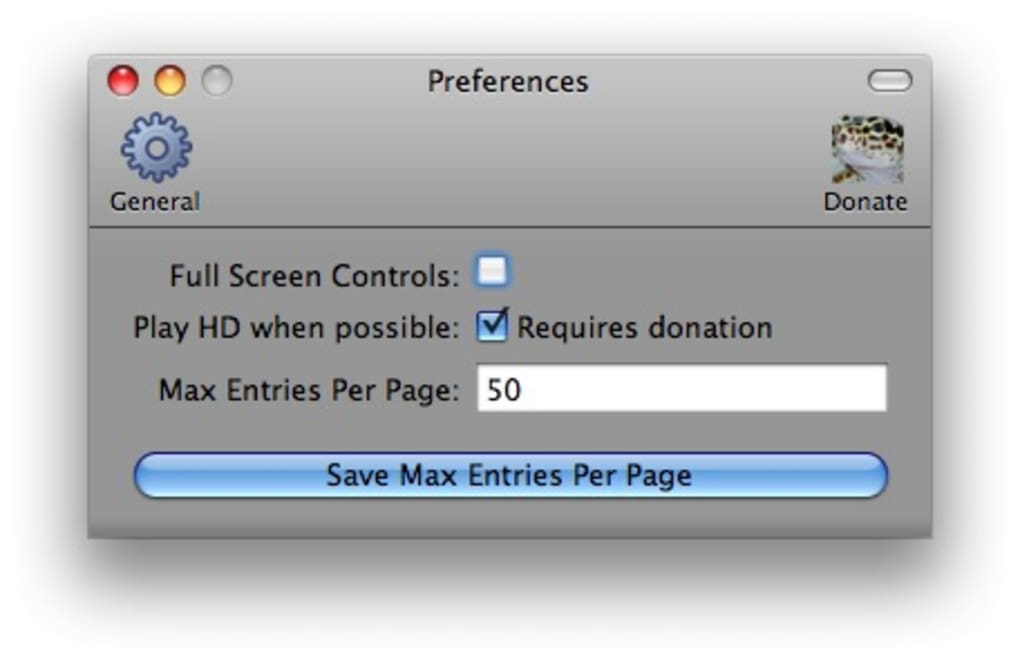
- Adjust Settings (Optional): Access the Settings menu (gear icon) to toggle automatic HD streaming, enable or disable notifications for new updates, and set the default video window size.
- Stay Updated: YouView checks for updates automatically each time it starts. If an update is available, you’ll be prompted to install it – a single click is all that’s required.
The entire process typically takes less than five minutes, and once installed, you’ll notice a dramatic reduction in the time it takes to watch a trending video compared with loading YouTube in a browser. Because YouView isolates video playback from the usual web‑page overhead, you also experience fewer interruptions from ads or pop‑ups, making for a cleaner, more enjoyable viewing session.
Compatibility & System Requirements
YouView has been built to run on the most common desktop operating systems while keeping resource usage low. Below is a breakdown of the supported platforms and the minimum hardware specifications required for smooth HD playback:
- Windows: Windows 10 (64‑bit) or later; at least 2 GB RAM; 500 MB free disk space; DirectX 9 compatible graphics.
- macOS: macOS 10.13 (High Sierra) or later; 2 GB RAM; 300 MB free disk space; Metal‑capable GPU for HD rendering.
- Linux: Ubuntu 18.04 LTS, Fedora 30, or any distribution with glibc 2.27+; 2 GB RAM; 300 MB free disk space; OpenGL 2.1 or higher.
While YouView is lightweight, for optimal performance when streaming 1080p or higher videos, a stable internet connection of at least 5 Mbps is recommended. The application gracefully degrades to lower resolutions if bandwidth drops, ensuring you never experience a frozen screen. In addition, YouView respects system security policies – on macOS, you may need to allow the app under “Security & Privacy” > “General” the first time you open it, and Windows users may see a SmartScreen prompt which can be safely bypassed by clicking “More info” and then “Run anyway”. The software does not require administrative privileges after the initial installation, making it safe for use in corporate environments where user accounts have limited rights.
Pros and Cons
Advantages
- Fast loading of top‑trend videos – up to 70 % quicker than a full browser.
- Low CPU and memory footprint, ideal for older hardware.
- Automatic HD streaming without manual quality selection.
- Full‑screen mode provides a cinema‑like experience.
- Cross‑platform support (Windows, macOS, Linux).
- Secure, no tracking cookies or browsing history stored.
- Simple, ad‑free interface focused solely on video playback.
Disadvantages
- No access to YouTube comments or community discussions.
- Cannot download videos for offline viewing.
- Limited to the top ten videos per category – not a full YouTube search.
- Occasional API latency when YouTube updates its service endpoints.
Frequently Asked Questions
Is YouView completely free to use?
Yes, YouView is offered as a free desktop application. There are no hidden subscription fees, and all core features – trending video browsing, HD playback, and automatic updates – are available at no cost.
Can I watch videos that are not in the top ten list?
YouView focuses on the most popular videos across three categories. If you need to watch a specific video outside those lists, you’ll need to open a web browser or use a full YouTube client. The app is intentionally streamlined for quick access to trending content only.
Does YouView support subtitles or closed captions?
Yes, when a video includes subtitles, YouView automatically detects and displays them. You can toggle captions on or off using the playback window’s control bar.
Is my data safe while using YouView?
YouView does not store personal data, cookies, or browsing history. It connects directly to YouTube’s public API over HTTPS, ensuring that all video streams are encrypted and secure.
How often does YouView receive updates?
The development team releases updates roughly once a month, with additional patches released quickly if YouTube changes its API or if security vulnerabilities are discovered.
Conclusion & Call to Action
YouView fills a niche that many desktop users have long ignored: a fast, secure, and lightweight way to watch today’s most popular YouTube videos without the clutter of a full web browser. Its emphasis on speed, low resource usage, and automatic HD playback makes it especially appealing for people with older hardware or for those who simply want to avoid the distractions of comments and ads. While it does not replace a full YouTube experience – you cannot search beyond the top ten lists or download videos – its focused design delivers exactly what it promises: quick access to trending content in a secure, ad‑free environment.
If you’re ready to streamline your daily video routine, download YouView now and enjoy a smoother, faster way to stay up‑to‑date with the internet’s most viral moments. The installation takes minutes, and because the app updates itself automatically, you’ll always have a reliable, secure tool at your fingertips.







